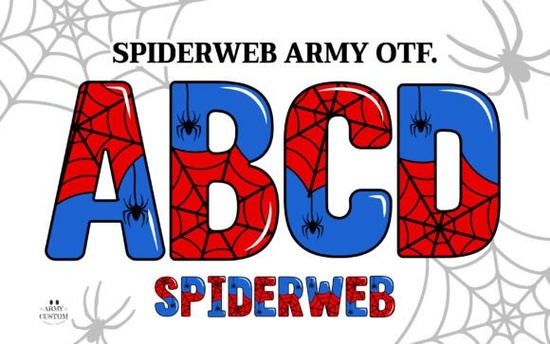
The Spiderweb Army Font is a decorative typeface built for makers and designers who want to add a subtle, eerie touch to their visual projects without relying on heavy graphics. If you create seasonal merchandise, spooky branding, or alternative-style apparel, this font gives you a ready-made web texture that layers cleanly over text. You can use it directly in design software, export it for print-on-demand platforms, or load it into desktop cutting machines depending on your workflow.
How do color fonts work with different design programs?
Color typography behaves differently depending on the application you choose. The OpenType SVG file included in this pack works natively with Adobe Photoshop CC 2017 and newer, as well as Illustrator CC 2018 and above. When you install it correctly, the webbing appears automatically as a single color layer instead of requiring you to trace or group separate shapes manually. This saves time when you are mocking up t-shirt graphics, poster layouts, or social media banners.
If your software does not support OpenType SVG files, the package still provides a practical workaround. The included PNG files contain transparent backgrounds, so you can drop them into Canva, Procreate, or any standard image editor without worrying about broken layers. You can resize them freely while keeping the delicate strands intact, which makes them reliable for quick client proofs or small-batch printing.
Which projects benefit from web-style lettering?
Designers often reach for this typeface when they need to communicate mystery or seasonal themes without cluttering a layout. Print-on-demand sellers use it on Halloween apparel, dark academia merchandise, and fantasy-inspired journals. Small businesses in the alternative fashion or music scene also apply it to band shirts, sticker sheets, and event flyers.
The visual weight of the text stays balanced because the web patterns are woven into the character shapes rather than added as separate clipart. This means you can place it over busy backgrounds or solid colors without losing readability. If you want to see how similar decorative assets integrate into different mockups, you can explore more colorful typography options here to compare spacing and texture density.
Can you use this font with desktop cutting machines?
Cutting machines do not read SVG color files the same way professional design software does. For Cricut Design Space, Silhouette Studio, and other vinyl or paper crafters, the package includes a dedicated black-and-white version. You can type your text normally, convert the letters to outlines if your machine requires it, and cut through adhesive vinyl, cardstock, or heat-transfer material without missing strands or overlapping paths.
Many hobbyists pair the black outline version with solid backing layers to create high-contrast window decals, party banners, or custom packaging. Because the web structure is already optimized for single-color workflows, you avoid the tedious step of welding dozens of individual pieces before hitting send.
What should you check before installing or printing?
Proper setup prevents formatting errors and keeps your files clean from draft to final export. Start by confirming your operating system supports OpenType installations, then restart your design application so the font registers correctly in your type menu. Always keep a copy of the original OTF and PNG files in a backed-up project folder, especially if you work across multiple computers or collaborate with a team.
When preparing files for commercial printing, outline your text and check the webbing at actual size. Some print-on-demand services may rasterize fonts during upload, which can slightly soften the finest lines. Testing a single proof on cheap paper or a sample garment helps you catch scaling issues before running a full batch. You can also verify compatibility updates by searching for Spiderweb Army Font to see recent user uploads or software tips from other creators.
How do you maintain crisp details when resizing text?
Web-based lettering requires careful scaling to keep the negative space from closing up. Avoid pushing the font smaller than eight points for print projects, as the inner gaps will start to fill in during the ink spread. For digital use, keep the size above twelve points to preserve the delicate crosshatching that makes the typeface recognizable. If your layout needs smaller text, consider switching to a solid sans-serif for body copy and reserving this display style for headings or short phrases.
Quick workflow checklist before publishing your design:
- Install the OTF and restart your design software to refresh the font library.
- Choose the black version for Cricut, Silhouette, or standard image viewers.
- Use the SVG color file only in Photoshop or Illustrator for automatic webbing.
- Export test proofs at 100 percent scale to verify web line clarity.
- Outline or convert text to paths before uploading to POD marketplaces.
- Keep original OTF, SVG, and PNG files archived in a project backup folder.
Start your next seasonal campaign with a quick typography swap. Type a short phrase, apply the font, adjust tracking slightly, and export both print-ready and web-optimized versions so your files are ready for any platform.
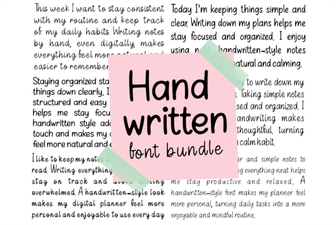 Creative Projects with Handwritten Font Bundles
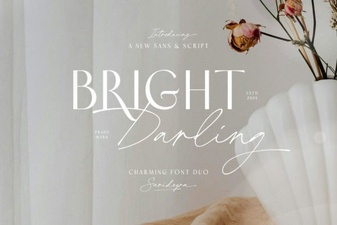 The Bright Darling Duo Font for Creative Projects
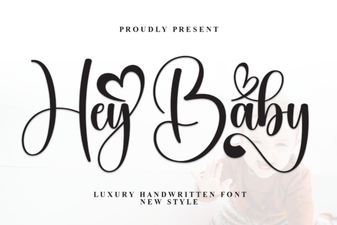 Hey Baby Font: Creative Uses for Your Designs
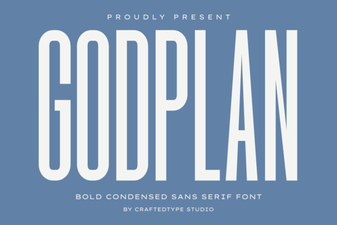 Godplan Font: Creativity in Typography Design
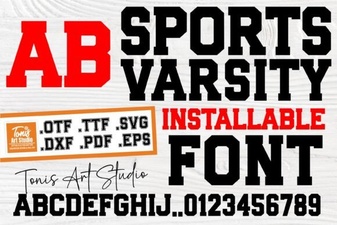 Varsity Fonts for Sports Design Projects
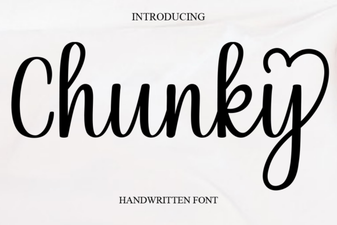 Creative Projects Using Chunky Font Styles