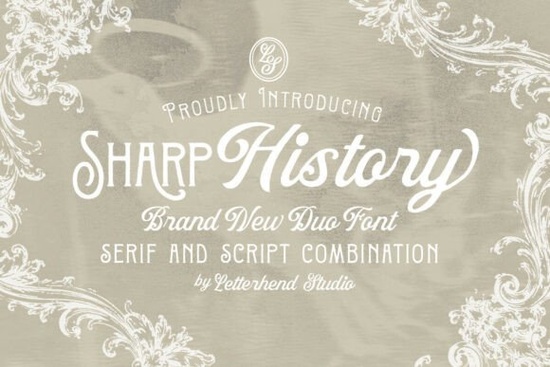
When you need a typeface that balances old-world elegance with readable structure, Sharp History Font offers a reliable solution for creative projects. This font pairs a decorative serif with a flowing script, making it easy to handle everything from wedding stationery to small business branding. The combination works because each style handles a different part of your layout without competing for attention. You get clean headlines, graceful accents, and a cohesive visual tone that feels intentional rather than cluttered.
When should I pair a serif with a script typeface?
Creative layouts often struggle when two heavy styles fight for visual space. Pairing a structured serif with a softer script solves this by establishing clear hierarchy. The straight lines and traditional letterforms ground the design, while the connected strokes add movement to specific words like names, quotes, and signatures. If you work with invitations or editorial spreads, this pairing keeps the layout readable and professionally balanced. You can explore similar typography combinations in the editorial serif collection to see how structured letterforms handle headings and captions.
Does this font pair hold up well in print and packaging?
Physical products require typefaces that stay legible when scaled down. Sharp History maintains crisp serifs and smooth script curves across different resolutions, which matters for product labels and printed menus. The subtle ornamental details do not overwhelm smaller text, and the natural flow of the script prevents awkward letter collisions. Many print-on-demand sellers rely on versatile duos like this because they adapt to matte or glossy stock without losing definition. If your workflow leans toward heavy display faces, compare the weight options in this serif series to find the right contrast for your product mockups.
How do I adjust letter spacing and sizing for different projects?
Tracking plays a major role in making decorative type look polished on screens and paper. Start with generous tracking for the script to prevent overlapping loops, and keep the serif tracking closer to standard settings. When designing logos or social media templates, test the pair at multiple scales before finalizing your files. The Sharp History Font package includes multiple file formats that work across common design software, making it straightforward to switch between digital previews and print-ready exports. You can find additional vintage-inspired options by browsing the Sharp History Font search page for alternate styles that match your brand palette.
Who benefits most from using a vintage-style font duo?
Small businesses, wedding stationers, and creative hobbyists often look for typefaces that communicate craftsmanship without needing advanced layout skills. A well-matched duo handles most of the heavy lifting. You do not have to manually kern every headline or hunt for complementary scripts. The serif portion manages informational text cleanly, while the script adds a personal signature feel. Crafters can use it for custom stickers and tags, while branding consultants can build identity kits around its classic proportions. Keeping your color palette simple allows the typography to remain the focal point.
What are the next steps for testing this typeface in real projects?
Before committing to a full rollout, run a quick design test to confirm readability and style alignment. Follow this checklist to avoid common pairing mistakes:
- Print a test layout at full scale to check how the script connects on your target paper stock before approving the final proof.
- Adjust tracking by twenty to forty points on script words to prevent overlapping tails and maintain legibility.
- Keep body copy in the serif style with standard line height for comfortable reading across paragraphs.
- Export a grayscale mockup first to verify contrast without relying on distracting color choices.
- Save layered templates so you can swap backgrounds or adjust sizes quickly for future campaigns.
Once you confirm the pair works for your specific medium, build a small style guide that documents your preferred sizes, spacing, and color combinations. This saves hours when you move from concept drafts to client deliveries or shop listings.
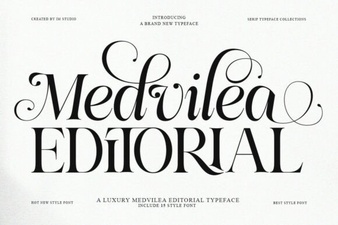 Medvilea Editorial Font: Modern Design Elegance
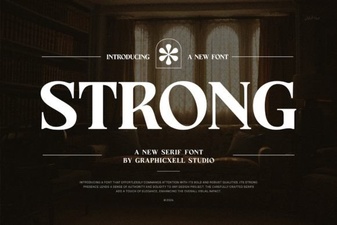 Best Fonts for Designers & Visual Impact
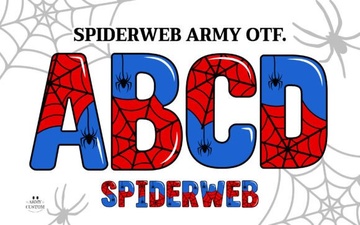 Spiderweb Army Font: Design Tips & Creative Projects
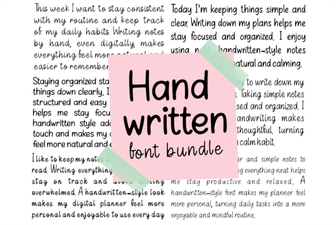 Creative Projects with Handwritten Font Bundles
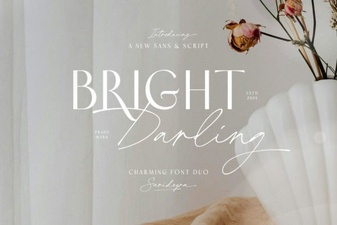 The Bright Darling Duo Font for Creative Projects
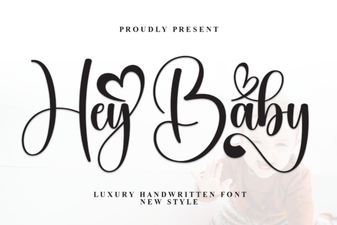 Hey Baby Font: Creative Uses for Your Designs